.webp)

We release regular upgrades to internet banking including new features and improved functionality. See Banking Help in the help centre for more information including how-to guides and other helpful hints.

View and manage Open Banking data sharing consents.

Manage your IMB Visa Debit Card and/or IMB Cashcard through Card Management which Includes activating a new card, placing on temporary hold on a card, and/or cancelling a card entirely. See and update your personal contact details.

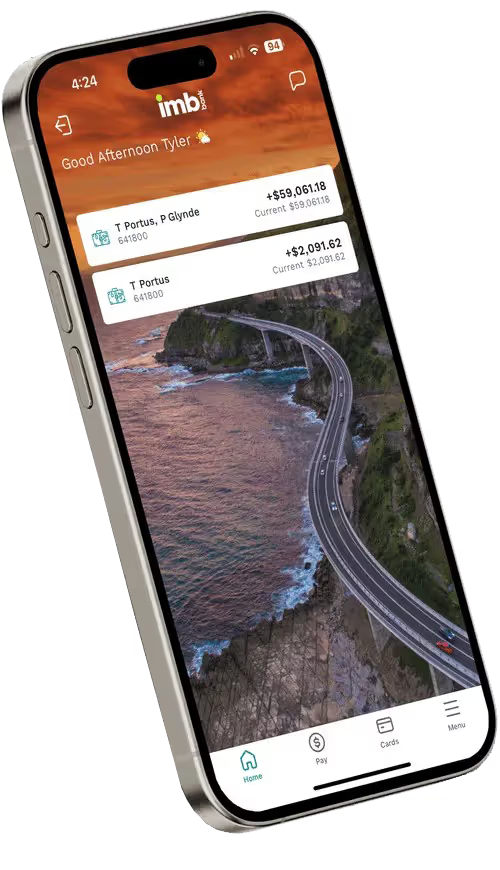
See your account balance, transfer between your own accounts, to other people, or pay bills. View and manage your daily transaction limits1. View and manage alert. Check your statements and transactions.

Manage Multi payments Setup and manage payments to multiple payees. Useful for business and payroll.

Create and manage your Osko PayID

Communicate with us via secure mail

Reduce paper usage by electing to receive your statements online, and view online statements within Internet Banking

Access to real time payments through Osko®

Set a new PIN on a card, or change the PIN on an existing card

View and manage pending payments

Pay bills and transfer money to external accounts

Transfer money between your accounts

If you have a loan with a redraw facility, you can redraw from your loan fee free (minimum redraw $500)

As an existing Internet Banking user simply follow these steps.
We want to empower you with the knowledge to stay vigilant, protect your finances and act quickly if you suspect you’ve been targeted.
General
You should consider the Product Disclosure Statement before making a decision about IMB products and facilities. Target Market Determinations available here. Fees and charges may apply, see the PDS – Fees, Charges and Limits for more details. Information current at date of appearance and subject to change.
Features
1. Daily limits apply.
®Osko is a registered trademark of BPAY Pty Ltd ABN 69 079 137 518.


.svg)


